
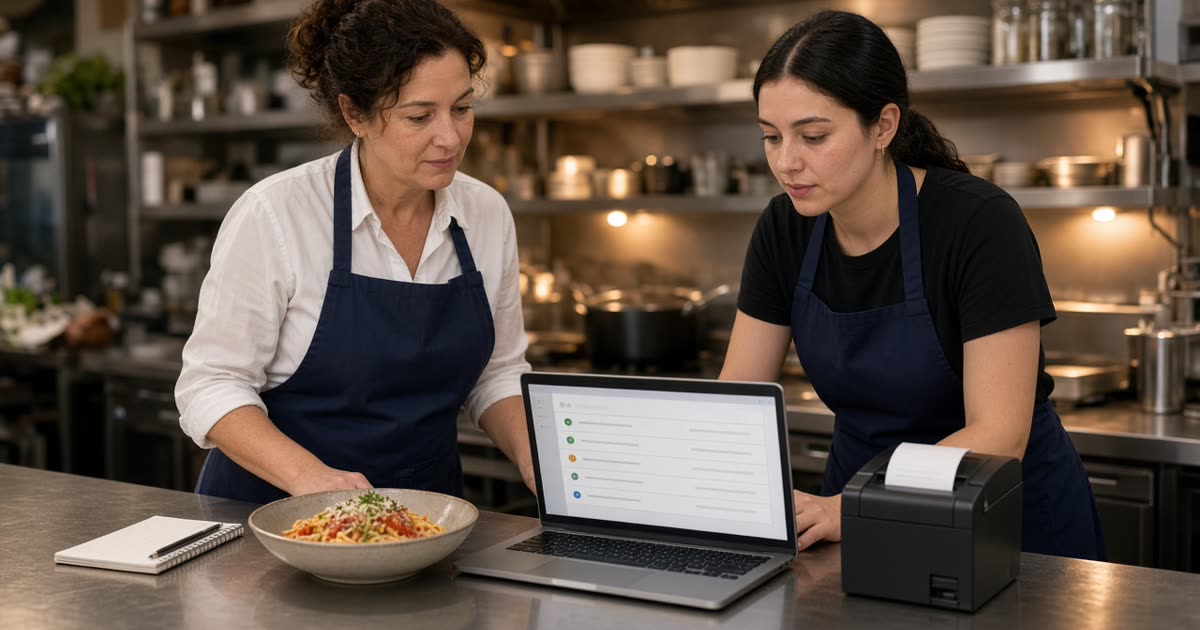
How to train restaurant employees, for an independent shop, is a short plan you can finish before the next busy Friday. It is not a binder or a classroom week. The work is three habits: read an online ticket, use restaurant admin for the status and the menu, and hand a phone order to the kitchen without writing it twice.
The screen those habits live in is restaurant admin. How a web ticket and a phone ticket should look on the pass is how to run a kitchen in a restaurant. Opening checklists stay on a task list, which is restaurant task management app. One board and staff roles are how to improve restaurant operations. Stay here for the training.
Train the Job Before the Screen
Start with one sentence a new person should be able to say. An online order is already paid. The guest already chose the modifiers. The kitchen cooks the ticket. Someone marks it ready when the bag is actually ready. If the training never says that, the laptop is a tour and the rush is guessing.
Pick one closer and one person on the line. Do each session when the line is quiet, about twenty minutes before open. Those two can show the next hire.
What Staff Do With an Online Order
The guest orders on your site: categories, sizes, toppings, and modifiers with a price on the choice that costs more. The cart shows a running subtotal. Pickup has a ready time the guest sees before they pay. Delivery uses the radius, the zones, and the fee you set. Ordering opens and closes with the hours you posted. That path is online ordering. Staff do not rebuild it during service.
Their job is smaller. A new order appears when it is placed. They read the paper, fire the stations that cook those lines, and move the order from new to preparing to ready to delivered. Ready means the bag is on the pickup shelf. Delivered means it left.
Read the Ticket Before Anyone Plates
Hand a new cook one paid test and ask them to say the plate back: item, size, modifiers, a true note, the name, and pickup or delivery. If they have to call you to translate a comment box, fix the modifier. Do not blame the training for a menu that was never finished.
Marketplace tablets can stay for strangers. DoorDash, Uber Eats, and Grubhub often charge 15 to 30% of that sale. Label their chirp so nobody plates the wrong bag. Your site is the ticket language you are training.
Teach Restaurant Admin in One Short Session
Restaurant admin runs in a browser on a tablet or computer you already own. The first session is the live board and one menu edit. Change a price on a slow item, save it, and open the storefront on a phone that is not logged in. Put the price back. Then 86 one item and confirm the guest can no longer order it. The login exists so the storefront matches the pans.
Sales reports show orders, revenue, average ticket, and best-sellers. Read those on a Monday. The same login is where hours open and close ordering. If you are closed tomorrow, change the hours today. A note on the door does not close the cart.
Give Managers, the Line, and the Counter Their Own Access
Staff roles stop the shared password. Managers, kitchen staff, and counter staff can each get the access they need, and nothing they do not. The person who can see an empty pan should be able to 86 the item without texting you for the password. The counter moves status. You can keep the sales report off the first screen a new hire sees.
Watch one shift after the logins go out. If people still call you to 86 the soup, the role is too narrow or the training stopped at the tour. Fix the access before you add the phone.
Phone-Order Handoffs the Kitchen Can Trust
A ringing phone during the rush is a person who stops plating, writes an order on a pad, and types it again. The handoff you want is one paid ticket on the same printer as the website. Sky AI is that option, and it is not part of the signup wizard. After onboarding, open restaurant admin, then Integrations, and turn it on when web tickets are already calm.
Sky AI answers inbound calls. The guest orders menu items, modifiers, and pickup or delivery. Sky AI confirms the ticket before anyone pays. The card goes on a keypad, and Sky AI does not hear the full card number. The paid order shows in admin and prints with the web orders. There is no per-minute fee. Train from that list on Sky AI. Do not invent steps the call does not do.
What the Person at the Counter Still Does
Staff still plate the food, call the name, and move the status. The phone did not hire a cook. If the guest is at the counter and the bag is not on the shelf, a person fixes that. If the printer is blank, the ticket is not in the kitchen yet. Check the printer before you say the order is in the system.
Tell the staff what the phone will do before you turn it on. The pad and the retype go away. The cooks still cook. Delivery is the zone, the radius, and the fee you set, for example free delivery within 4 miles. MicroSky Food does not dispatch drivers, run a fleet, track drivers, or offer geofencing. Do not train anyone to watch a car on a map.
A Four-Session Plan You Can Finish This Month
Use the same two people for all four sessions. Place the paid test on your own site once the wizard is done, or click the live demo first. The demo is a storefront. It is not your menu until you publish yours.
- Session 1, the ticket: place one paid test, print it, and read it at the pass. Move it from new to preparing to ready to delivered. Say what ready means.
- Session 2, the menu: change one price, confirm it on a phone, and put it back. 86 one item and confirm the storefront updated.
- Session 3, pickup and delivery: show the ready time the guest already saw, and the zone you deliver. Mark ready only when the bag is on the shelf. Close the hours and confirm the cart closes.
- Session 4, the phone: when web tickets are calm, turn on Sky AI under Integrations. Call the shop. Confirm the paid ticket prints and that nobody retypes it.
What to Leave Out of the First Week
Do not teach every report, the iOS app, or email and SMS in week one. A branded iOS app is on Growth and Growth Plus, after 3 months on Standard. Email and SMS are on Growth Plus. The first week is the ticket, the menu, and the phone handoff.
Do not promise a catering desk. A large tray is still a menu item with modifiers, a pickup ready time, and a delivery zone. There is no date scheduler, no event invoice, and no deposit tool. The limits are on catering software. Leave the dining-room register alone. Servers can keep ringing the room.
Check the Training After One Real Weekend
After Friday and Saturday, ask three questions. Did anyone retype a web order or a phone order? Did a sold-out item stay on the site? Did a bag get marked ready before it was on the shelf? Repeat the session that matches the loudest yes.
If the closer can say new, preparing, ready, and delivered without looking at you, the board training worked. If a note still needs a translation, fix the button. On Monday, check orders, revenue, average ticket, and best-sellers against the orders you remember. That read is restaurant analytics.
What It Costs to Practice on a Real Order
On pricing, Standard is $249 per month plus 5% of net sales, or $499 per month flat with no commission. Only that $499 Standard option has no commission. Growth is $499 per month plus 7% of net sales. Growth Plus is $999 per month plus 10% of net sales. Both require 3 months on Standard. A 30-day free trial does not replace those 3 months. There is no long-term contract. On a $40 order, 5% is $2 and 30% is $12. The monthly plan sits on top of either figure.
Apple Pay is on Growth and Growth Plus, through Authorize.net, and not on Standard. Bring a Stripe token, connect Authorize.net, or sign up with Electronic Payments. If you need a print path, hardware is $500 one-time: a mini PC print server and a receipt printer.
Start the 30-day free trial and run session 1 before you tell regulars. The wizard covers your profile, menu, hours, delivery zones, and billing. A storefront can be set up in about 10 minutes. Setup is how it works. Restaurants on the platform are on clients. Questions go through contact. Start 30 Day Free Trial. Call (888) 960-1359.