
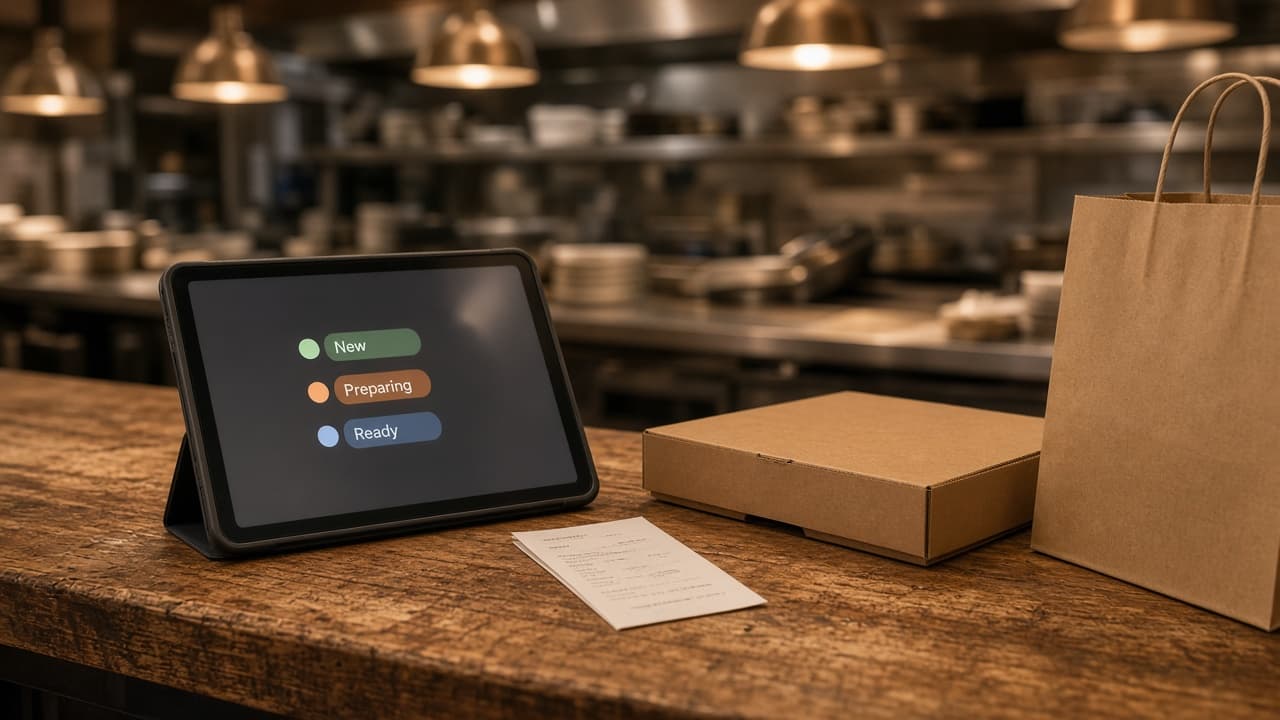
MicroSky Food restaurant admin is the command center behind your ordering storefront. A paid order shows up here for the kitchen and the counter. The same login is where you change a price, 86 an item, set who can work the shift, and read what sold.
This post is the shift version of that dashboard. The feature list is on restaurant admin. What the guest taps is online ordering, with a longer walkthrough in MicroSky Food online ordering. Plan math is on pricing. What has changed since go-live is on the release notes.
Who it helps on a normal night
It helps an independent restaurant or pizzeria whose regulars already know the name. The owner should not be the only person who can see a new ticket. The cook and the person at the window need one status they both trust, and a way to update the menu when a pan runs out.
It also helps a small group with more than one shop. Each address gets its own storefront, its own hours, and its own MicroSky Food restaurant admin. A special at one location stays on that menu, and that shop's order link should open that shop. There is no multi-unit franchise console for every address on one screen.
Storefront orders run beside the dining-room register. Admin runs in the browser on a tablet, laptop, or office computer you already have. No expensive POS hardware is required. If you need a print path, the hardware package is $500 once: a mini PC print server and a receipt printer. A tablet can be provided.
A dinner rush, one status at a time
New orders appear the moment they are placed. In a dinner rush, that board is how the pass and the window stay agreed. A ticket starts as new. The kitchen moves it to preparing while the food is in motion. The counter marks it ready when the bag is at the window. A delivery moves to delivered when it leaves. Kitchen and counter share those four steps.
You can mark an order cancelled when it will not be made, and email the team when a new order comes in. The release notes also record a live checkouts view for guests still on checkout, and reports that count completed, paid orders in your restaurant's time zone.
Prices, specials, and the 86
Change a price, add a special, or 86 an item, and the ordering storefront updates instantly. Nobody has to call a web person, and nobody waits on a ticket outside the building. If a special sells out during the rush, the person who can see the empty pan takes it off the menu the guest is still holding.
That menu is the one on your domain. Sizes, toppings, pickup, delivery zones, and hours are on online ordering. Here, the closer saves the change and the storefront follows.
Kitchen, counter, and manager access
Staff roles give managers, kitchen staff, and counter staff the access they need, and nothing they do not. A manager can run the shift. Kitchen staff can work the tickets in front of them. Counter staff can move an order when the bag is ready. Each role can have its own account, so the shift does not have to share the owner login.
Orders, revenue, average ticket, and best-sellers
Analytics and sales reporting show orders, revenue, average ticket, and best-sellers at a glance. That is the read before you print the next menu. The release notes describe reports that count completed, paid orders in your time zone, and dashboard totals that open the list behind the number.
The restaurant admin page describes conversion rate analytics as visitor-to-order conversion rates (targeting 30-50%), top-converting menu items, and checkout funnel drop-off. It describes SEO performance tracking as page rankings, organic traffic, and Core Web Vitals scores in the dashboard. On pricing, those two reports come with Growth, along with monthly organic SEO. Standard includes orders, revenue, average ticket, and best-sellers. The 30-50% line is the target that page names.
Sky AI, after a web ticket looks right
Some guests will still call. Sky AI answers unlimited inbound calls, takes pickup or delivery from the published menu, collects card payment on a PCI-safe keypad, and prints the paid ticket with your web orders. There is no per-minute fee, and it does not hear the full card number.
Sky AI is not part of the signup wizard. After onboarding, turn it on in Admin under Integrations, once a web ticket looks right. Phone orders then use the same board, from new to preparing to ready to delivered.
The wizard, Stripe, and the shared demo
The guided onboarding wizard walks you through your restaurant profile, menu, and billing. How it works is the full path, including hours and delivery zones. Most restaurants are set up the same day, and the profile, menu, and billing pass is described as under an hour. The MicroSky team stays a phone call away the whole time.
Your subscription is handled through Stripe. That bill is separate from the card processor guests use at checkout. For those guest cards, bring a Stripe token, connect Authorize.net, or sign up with Electronic Payments. The plan you choose is the Stripe subscription.
On Standard, choose $249/month plus 5% commission on net sales, or $499/month with no commission. Only that $499/month Standard option has no commission. Commission applies to net online order sales through the storefront, after refunds and voids. Growth is $499/month plus 7% commission on net sales, after 3 months on Standard, with a branded iOS app, a website redesign, push, and monthly work on 5 keywords. Growth Plus is $999/month plus 10% commission on net sales, with email, SMS, and 10 keywords a month. A 30-day free trial does not skip those 3 months. There is no long-term contract. The hardware package is $500 once. See pricing.
Third-party marketplaces often charge 15 to 30% of the order. MicroSky Food still has a monthly price. On Standard you choose 5% of net sales or the month with no commission. Growth and Growth Plus add a percent of net sales.
The live admin demo is on restaurant admin. It opens the shared Demo Diner account published on that page. Payments and email are turned off, and the data may be reset.
Start 30 Day Free Trial. Call (888) 960-1359 if you want a person on the line.