
Catering Software Is Usually a Second Product
Owners who search for catering software are often shown a CRM, an event planner, deposits, and invoices. MicroSky Food is not those tools. This page is the narrower job: take a large group order on the branded site you already use for dinner, with modifiers, a pickup ready time, and the delivery zone the kitchen can cook.
A marketplace listing often takes 15 to 30% of the sale. A PDF is not ordering. Orders placed now are the on demand food delivery platform. Stay here for the tray and the client who wants the same pans again.
Put the Tray on the Menu You Already Run
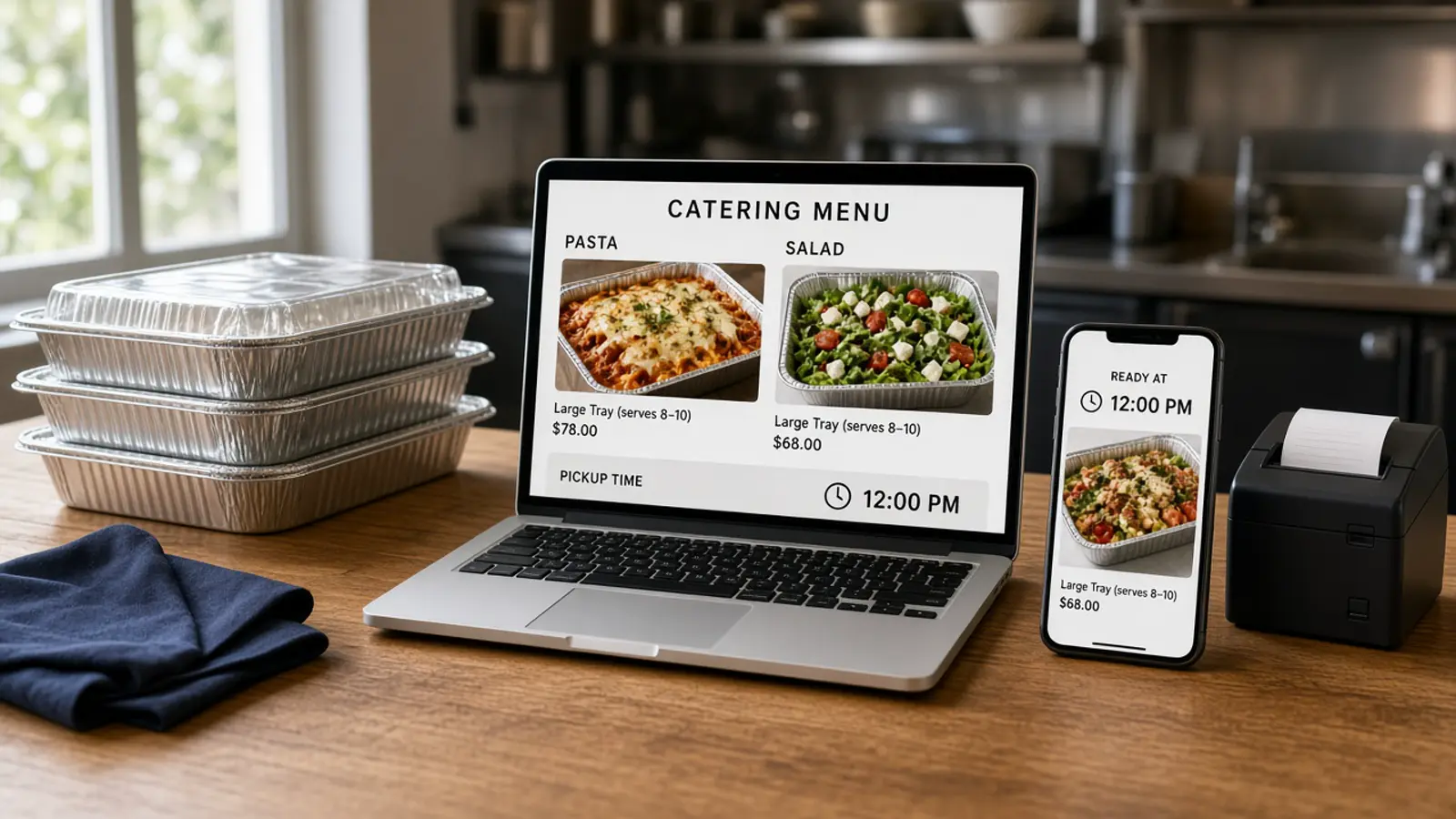
A catering tray is a menu item. Name it the way the counter already does, set a price, and add a photo if you have one. Change the price or 86 the item in admin and the storefront updates. Items and categories are unlimited. You should not need a web person to add a pan you already sell.
Use a modifier for the follow-up the kitchen needs. Half tray or full tray. A side that costs more, with the price on that choice. The cart shows a running subtotal. If the only path is a note, the ticket comes back as a riddle. Say what the tray includes in the description. Modifiers, pickup times, and delivery zones are online ordering platform.
Pickup Ready Times and Delivery Zones
Pickup has a ready time the guest sees before they pay. It is not a calendar for a Saturday weeks out. There is no catering scheduler and no date picker for a future event.
If the food has to leave in a window you choose, write it in the item description. Order by Tuesday. Pick up Wednesday from 11 a.m. to 2 p.m. A contract and a headcount you negotiated on the phone are still a conversation with a person. The site takes the food order. It does not plan the party.
Delivery uses the radius, the zones, and the fee you set, for example free delivery within 4 miles. MicroSky Food does not dispatch drivers, run a fleet, track drivers, or offer geofencing. Someone who already drives for you picks up a paid ticket. The software does not send the car.
Hours Still Close the Cart
Ordering opens and closes with the hours you posted. Change the hours when the building is closed. A social post does not close the cart, and closing the cart does not let a guest reserve a date weeks out.
Repeat Clients and the Orders You Can Open
Guests create accounts, save favorite orders, and earn loyalty points on every purchase. You set the loyalty rewards. The customer list stays with the restaurant.
New orders appear when they are placed. Staff move each one from new to preparing to ready to delivered. Reports show orders, revenue, average ticket, and best-sellers. Open that list when a client asks for the last tray. It is not a catering CRM or a folder of invoices.
That list, the menu edit, and the hours are restaurant ordering software, on restaurant admin. Who may 86 a tray, and who may only move status, is a staff role. The training plan is how to train restaurant employees.
The Kitchen Still Gets a Normal Ticket
A large order fails when it arrives as an email nobody opens at 6 p.m. The paid order should hit the board and print on the kitchen flow you already use: item, size, modifiers, the name, and pickup or delivery. Place one paid test and read it at the pass before you share the link.
Phone orders can join that paper after you enable Sky AI. It takes modifiers and pickup or delivery, collects the card on a keypad, and prints the paid ticket with the web orders. There is no per-minute fee. Turn it on after onboarding, in Admin, under Integrations. A call that needs a contract is still yours.
What Catering Software Often Sells That This Is Not
MicroSky Food does not offer a catering CRM, an event planner, deposits, or invoicing for events. It does not dispatch drivers or offer geofencing. Do not tell a client you will send a proposal from the dashboard.
Keep the dining-room register if the room already runs on it. A branded iOS app is on Growth and Growth Plus only, after 3 months on Standard. There is no published Android app. Apple Pay is on Growth and Growth Plus, through Authorize.net, and not on Standard. The wider checklist is the online ordering system for restaurants.
What It Costs to Take the Large Order Yourself
On pricing, Standard is $249 per month plus 5% of net sales, or $499 per month flat. Only that $499 per month Standard option leaves off the percentage of net sales. Growth is $499 per month plus 7% of net sales. Growth Plus is $999 per month plus 10% of net sales. Growth and Growth Plus require 3 months on Standard. A 30-day free trial does not replace those 3 months. There is no long-term contract.
On a $200 tray, 5% is $10 and 30% is $60. The monthly plan sits on top of either figure. Hardware, if you need a mini PC print server and a receipt printer, is $500 one-time. Bring a Stripe token, connect Authorize.net, or sign up with Electronic Payments.
Try One Tray Before You Promise a Banquet
Start the 30-day free trial. The wizard covers your profile, menu, hours, delivery zones, and billing. A storefront can be set up in about 10 minutes. Add one tray, place one paid test, and find it on the order list. If the window in the description does not match the hours, fix the words before you share the link.
Restaurants on the platform are on clients. Questions go through contact. Setup is how it works. See a storefront in the live demo. Start 30 Day Free Trial. Call (888) 960-1359.