
The best apps for restaurant owners are the few you still open when the rail is full. A long logo list is a catalog. An independent needs ordering admin, a way to talk to people who already bought, and a schedule for the shift. A branded iOS app is a fourth door, and only after the website is already trusted.
This post is that short list, sorted by the job each category does. It is not a second copy of the white label restaurant app guide. That page is whose name is on the icon. Here the question is which logins earn a place on the counter. The guest-facing site is online ordering. The owner tool is restaurant admin.
Keep the List to Jobs You Do This Week
Buy an app because the shift already does the job, not because a demo had a dashboard. Ordering admin is the daily one. Marketing is how you reach people who ordered on your site. Scheduling is who works the rush. If a tool does not touch one of those three, it can wait.
Name the category, then decide whether MicroSky Food already covers it. Do not stack a second menu, a second guest list, and a second printer because a salesperson called the first one basic. The live demo is a storefront you can click before you add anything else.
- Ordering admin for tickets, prices, and the 86.
- Marketing for guests who already ordered from you.
- A shift schedule the crew already reads.
- A branded iOS app only after the site has regulars.
Ordering Admin Is the Owner App
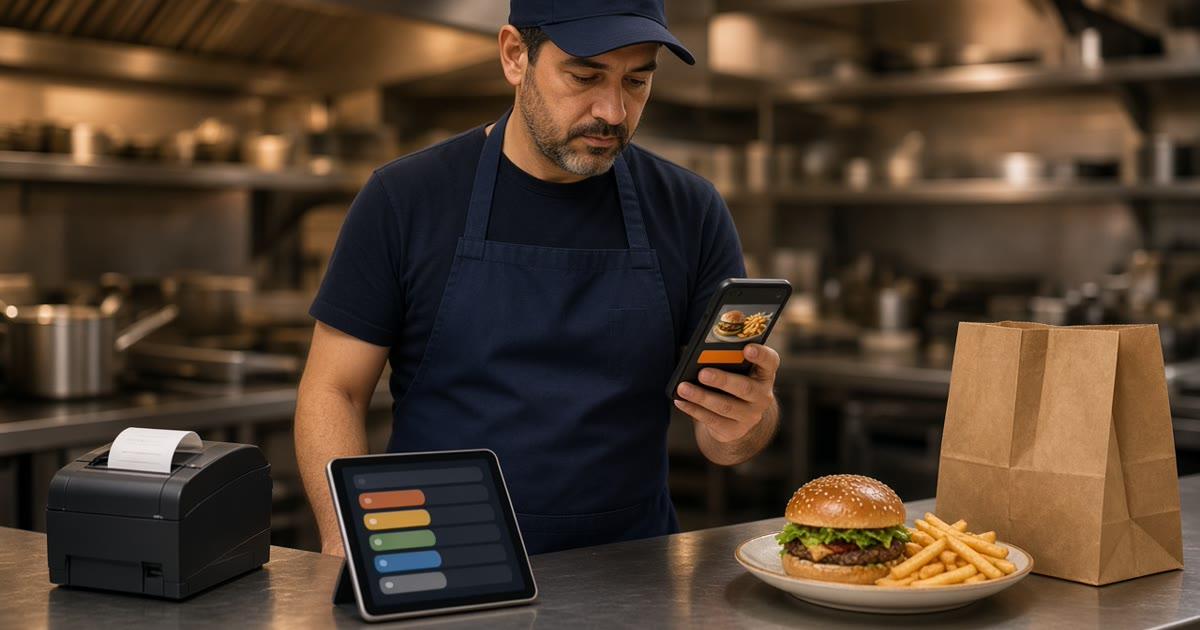
The owner app in this stack is restaurant admin. It runs in the browser on a tablet, laptop, or computer you already have. It is not a native app you submit to a phone store, and it is not the guest's iOS icon. New orders appear when they are placed. Staff move each one from new to preparing to ready to delivered.
Change a price, add a special, or 86 an item, and the storefront updates. Staff roles give managers, kitchen, and counter the access they need, and nothing they do not. Reports show orders, revenue, average ticket, and best-sellers for completed, paid storefront orders. That is the read before you print the next menu. A longer walkthrough is MicroSky Food restaurant admin.
Give the person who can see the empty pan a login that can 86 the item. If they have to text you, the item stays orderable through the rush. Admin does not replace the dining-room register. Storefront orders stay in this pile. DoorDash, Uber Eats, and Grubhub stay in theirs, and those marketplaces often charge 15 to 30% of the sale.
What Belongs in Admin, and What Does Not
Hours that open and close ordering belong here. You can schedule a closing, and you can hide a category when its hours end. Pickup shows a ready time before the guest pays. Delivery uses the zone, the radius, and the fee you set. Confirm a delivery minimum on a test order before you print it on the window.
A staff schedule, a time clock, and an opening checklist do not belong in the menu editor. Those are the next category. Opening and closing paper, kept off the order screen, is restaurant task management app.
Marketing Apps, After You Have a List
Marketing apps are how you talk to guests you already know. On your own storefront, loyalty points accrue on purchases, and you set the rewards. Accounts and saved orders are on every plan. The customer list stays with the restaurant. Points do not accrue on a marketplace receipt.
Standard includes order links on your Google listing. The button should open this storefront, not a marketplace. The limit of that link is Google ordering. How the listing button works is MicroSky Food Google Business Profile ordering.
Email and SMS campaigns are on Growth Plus, at $999 per month plus 10% of net sales, after 3 months on Standard. Until then, the window, the box, and the link are the send. Push to people who installed the branded iOS app is on Growth, and it is not a text. Do not promise a text club on Standard. If you still keep a separate email tool, do not run two guest lists that disagree, and do not invent a price for it.
A Scheduling App Is for the Shift
Scheduling is who is on the line, who opens, and who closes. MicroSky Food does not publish a staff scheduler or a time clock. Keep the roster where the crew already reads it. Do not move mopping into the menu editor to feel organized.
What you can schedule in the ordering product is the cart. Ordering opens and closes with the hours you post, and you can schedule a closing so a guest cannot pay after you lock the door. Hide a lunch category when lunch ends. That is hours for the menu, not a roster.
If both tools try to decide who may 86 an item, pick admin for the 86 and the schedule for the names. One person on tonight's roster should have the login. The rest of the crew does not need the owner password.
When Guests Need Your Own Branded iOS App
You do not need a guest app to start. The ordering site is mobile-first on every plan. A native iOS app branded with your logo is on Growth and Growth Plus, after 3 months on Standard. It includes push, saved orders, and full menu sync. MicroSky handles App Store submission, updates, and iOS compatibility. There is no published Android app. Other phones keep using the website.
Add the icon when regulars already reorder on the site, many of them use iPhones, and you have a note worth a push a few times a month. A special you can cook, or a day you are closed. If those are not true, the site is the door.
The app uses the same menu as the website. Two price lists become a complaint. The paid ticket still shows up in restaurant admin and can print on the receipt printer you already use. Apple Pay is on Growth and Growth Plus, through Authorize.net. It is not on Standard.
Whose name is on the icon stays on the white label restaurant app page. The product walkthrough is MicroSky Food branded iOS app. A from-scratch build versus a plan that includes the app is restaurant app development services.
The Website Stays Open for Everyone Else
Most guests will not install anything, and they should still finish the order. Leave the link on the box, the receipt, and the Google order button. An app that replaces the website strands every guest on a different phone. Tell regulars one true line: same menu, same account, same points, plus a home-screen icon.
What This Short List Will Not Fix
It will not seat the room or send a driver. MicroSky Food does not dispatch drivers, track them, or offer geofencing. There is no table tab, kiosk, gift card, or curbside flow in the published product. There is no date picker for an order weeks out. Pickup shows a ready time.
A bakery putting cakes, morning sell-outs, and trays on its own site is bakery online ordering. Restaurants already ordering this way are on clients.
What the Ordering Side Costs
On pricing, Standard is $249 per month plus 5% of net sales, or $499 per month flat. Only that $499 per month Standard option leaves off the percentage of net sales. Growth is $499 per month plus 7% of net sales. Growth Plus is $999 per month plus 10% of net sales. Growth and Growth Plus require 3 months on Standard. A 30-day free trial does not replace those 3 months. There is no long-term contract. Hardware, if you need a mini PC print server and a receipt printer, is $500 one time.
Ordering admin, the website, accounts, loyalty, pickup, delivery zones, and the sales report are on Standard. The branded iOS app is Growth, after those 3 months. Email and SMS are Growth Plus. A marketplace fee often lands in a 15 to 30% band. Compare that band with your own percentage before you add another app to the stack.
Pick the Three Categories, Then the Icon
This week, open restaurant admin, confirm who can 86 an item, and put the order link where guests already look. Leave the staff schedule where the crew already reads it. Add email or SMS only when you are on Growth Plus and the note is food you can cook. Add the iOS app only after the site has regulars and you qualify for Growth.
Setup is how it works. Questions go through contact. Start 30 Day Free Trial. Call (888) 960-1359.