
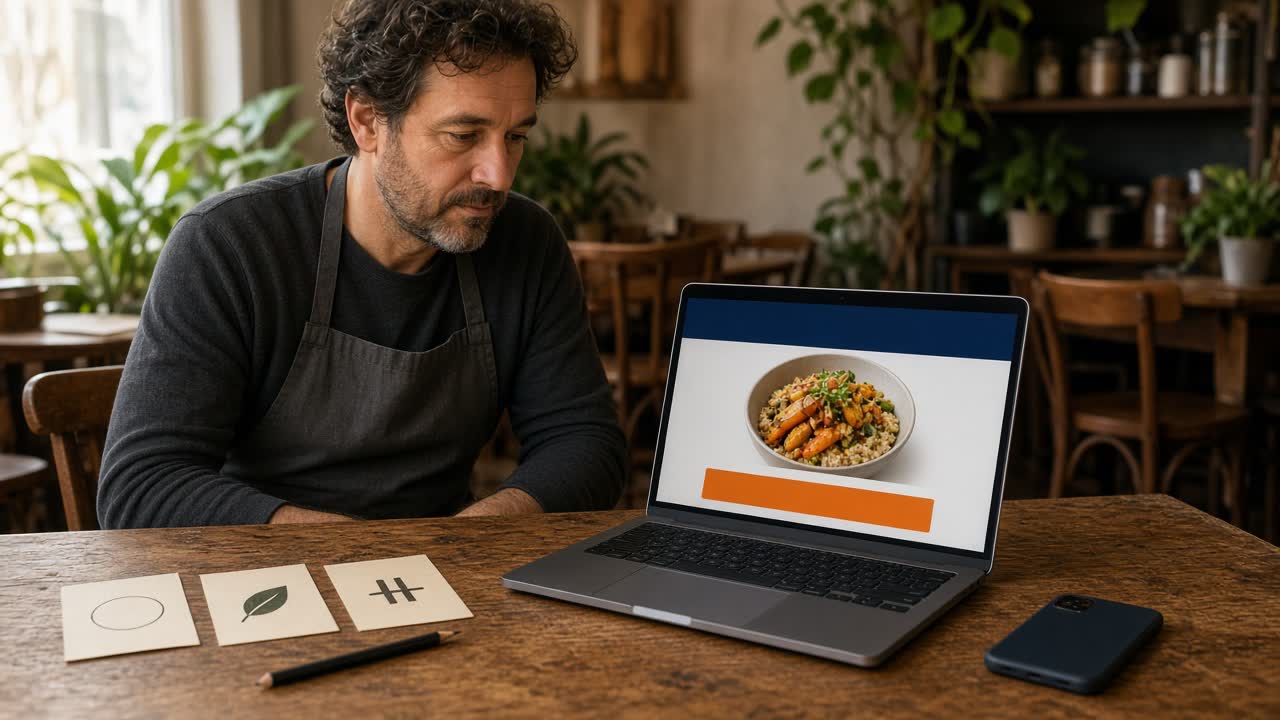
A logo has to work on the door, on a phone, and on a bag. These restaurant logos notes are for an owner who needs a mark people recognize, then needs that same mark on the ordering site, the app icon, the Google listing, the receipt, and a post. The styles below are shapes you can test. They are not copies of a chain, and they are not a ranking of famous brands.
The name comes first. How to choose one, including the trademark, the domain, and the social handle, is restaurant name ideas. How that name becomes an ordering site is restaurant website maker. The iOS icon that can carry the mark is the branded iOS app. What belongs in that app is white label restaurant app. Stay here for the mark, and for using one version everywhere a guest already looks.
What a restaurant logo has to survive
Say the name. The logo should not fight it. If guests already say your name at the counter, the mark on a phone should still read as that name. A clever picture that hides the words makes people ask which restaurant this is.
It has to survive a small size. The app icon, the Google profile image, and a social avatar are small squares. A drawing of the whole dining room, or a paragraph of script, turns into a blot. Hold the file at arm's length. If you cannot tell what it is, it is too busy for the phone.
It has to survive one color. A window decal, a stamp on a bag, and a black-and-white printout will not keep a gradient. Make one dark version on a light background, and one light version on a dark background. If only the full-color file looks right, you have a poster, not a logo.
Restaurant logo styles an owner can actually use
Use the styles below as shapes, then write a version only your kitchen would use. Do not borrow a famous chain's mark and change the color. A mark that reminds guests of a brand they already know sends them to the wrong restaurant. This page is not legal advice. If a trademark search looks crowded, talk with a lawyer before you buy a sign.
Wordmark
A wordmark is the restaurant name set in type, with no extra picture. Use it when the name is short enough to read on a phone. One spelling. One weight. Skip a font that only looks good on an invitation. The counter, the bag, and the site should use the same letters.
Lettermark
A lettermark is one or two initials. It helps when the full name is long, and it fails when guests do not know the initials. If people say the full name, the site header should still show the full name. The initials can be the icon. They should not be the only place the name appears.
Simple symbol
A symbol is one simple drawing: a slice, a leaf, a flame, a bowl, a window. Thick lines. No tiny type inside the drawing, and no scene of the whole block. It can sit alone on an app icon after people know the name. Until they do, pair it with the words.
Combination mark
A combination mark is the name plus a small symbol. The ordering site can show both, and the icon can crop to the symbol. Keep the symbol on the left or above the name. A holiday hat for two weeks is a post, not a new logo.
Badge
A badge puts the name inside a circle, a shield, or a stamp. It can look right on a bag and a coaster. It often fails as an app icon because the letters inside the shape get too small. If you want a badge for the door, draw a simpler center for the square icon, and keep the full badge for the sign and the site header.
Keep one file set, then stop
Ask for four files, then stop. A vector for the sign printer. A PNG with a transparent background for the site. A square PNG for the icon and the social avatar, with empty space so a rounded corner does not cut the mark. A one-color version for print. Do not stretch it, recolor it for one post, or set the name in a different font on the site than on the door.
Put the same mark on the ordering site
The branded ordering site is where the mark has to match the door. The storefront runs on your domain with your branding, your photos, and your menu. The header on a phone should use the same name and the same mark as the sign.
That site is on every plan. You enter the restaurant name in the onboarding wizard. If you already have a website, the wizard can scan it and import menu items, prices, modifiers, and images. Read every line before you publish. The steps are on restaurant website maker. How it works covers profile, menu, hours, delivery zones, and billing. Food photos are restaurant food photography tips.
Place one paid test and read the confirmation on a phone that is not logged into admin. If the name on that screen is not the name on the door, fix it before you share the link. Click a finished storefront on the live demo.
The app icon is a square crop of the same logo
A branded native iOS app, with your logo, is on Growth and Growth Plus, after 3 months on Standard. There is no Android app. Other phones keep using the website, so the site still needs the mark even if you never ship an icon.
The icon is a square crop. Use the simple symbol or the short lettermark, with padding. A wide wordmark becomes unreadable once the phone rounds the corners. Push, saved orders, and menu sync are part of that app. MicroSky handles App Store submission and updates. What the guest should find inside is white label restaurant app. The walkthrough is the branded iOS app. Do not invent a second logo for the icon.
Use it on Google, the bag, posts, and texts
Google Business Profile is a listing you control. Use the same mark as the profile image, and use photos of your food and your room. Standard includes an order link on that listing. The link should open your branded storefront. It is not a second checkout inside the listing. Confirm the button after setup, because a listing can keep an old logo if nobody changes it. How that link works is Google Business Profile ordering.
The bag, and any guest-facing slip you already hand over, should use this logo. Use the one-color file if that printer is thermal. The kitchen ticket is a different job. An online order prints on the receipt printer you already have, or on a one-time $500 package if you need a print path: a mini PC print server and a receipt printer. That ticket is for the cook: items, modifiers, and pickup or delivery. Do not expect a color logo to be the point of the ticket. The name on the bag should still match the name on the ticket. Staff read those orders in restaurant admin.
Posts and texts should use the square avatar and a link to your ordering site. You can post from your own accounts on any plan. Social, email, and text marketing inside MicroSky Food are on Growth Plus only, after 3 months on Standard. DoorDash, Uber Eats, and Grubhub often charge 15 to 30% of the sale. The post and the text should land on your domain.
A short test before you print anything
Run this on a phone before you pay for signs.
- Hold the square file at arm's length. Name what you see in one word.
- Put the mark next to the restaurant name. They should not use two spellings.
- Open the ordering site, the Google listing, and the social avatar. They should look like the same restaurant.
What it costs to carry that logo on your own site
On pricing, Standard is $249 per month plus 5% of net sales on online orders. Growth is $499 per month plus 7%. Growth Plus is $999 per month plus 10%. Growth and Growth Plus require 3 months on Standard. A 30-day free trial does not replace those 3 months. The percentage applies to online orders. MicroSky Food takes no percentage of in-store sales.
The ordering site is on Standard. The iOS app with your logo is on Growth and Growth Plus. Apple Pay is on those two plans, through Authorize.net. Cards run through Stripe, Authorize.net, or Electronic Payments. There is no long-term contract, and you do not need a new register.
What a logo will not fix
It will not fix a name guests cannot spell, a wrong price, or a Google button that still opens an old vendor. It will not file a trademark or reserve a domain. MicroSky Food does not design the logo and does not clear it. It will not dispatch drivers, run a kiosk, take a table order, or sell a gift card.
Restaurants already on the platform are on clients. Questions go through contact. Start 30 Day Free Trial. Call (888) 960-1359.