
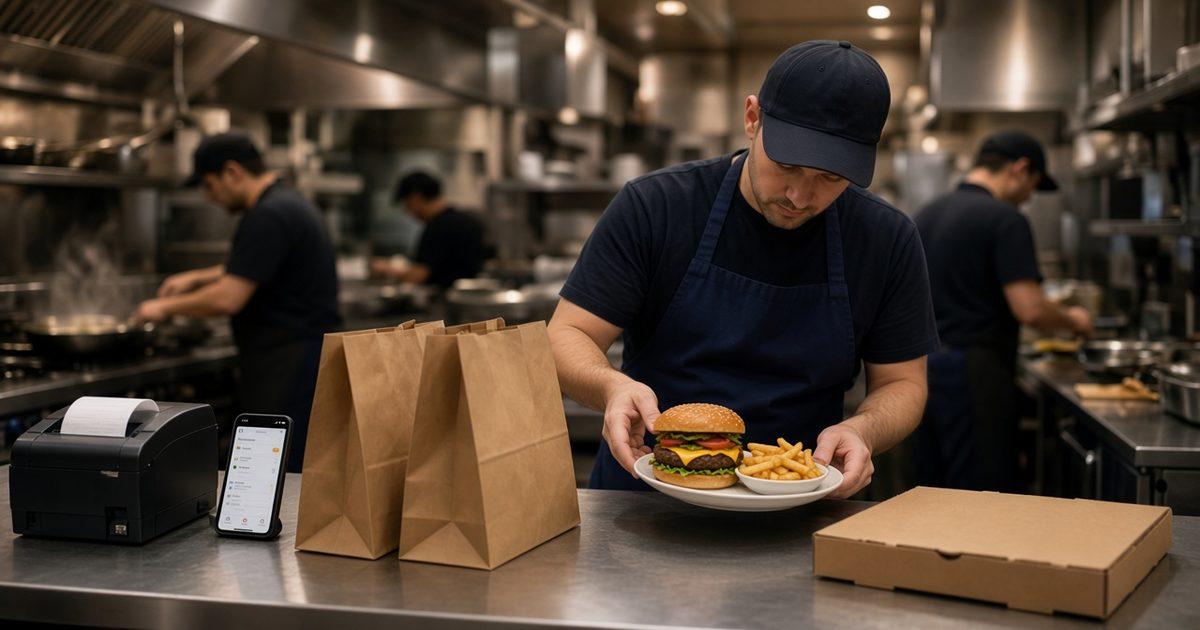
To increase average order value restaurant teams need one add the kitchen already fires, with the price on the button, on an order the guest already started.
The number you are moving is average ticket in restaurant admin: orders, revenue, average ticket, and best-sellers for completed, paid storefront orders. The dining room, and DoorDash, Uber Eats, and Grubhub, stay in their own piles. Those marketplaces often charge 15 to 30% of that sale. The weekly read is restaurant analytics. This post is the add itself.
Read the Average Ticket Before You Add a Button
Pick the same weekday and write orders, average ticket, and the best-seller that shows up every time. A side that fits that plate is the first candidate. A side that needs its own station is a new menu, and a new menu is how the ticket stays put while the line gets slower.
If the best-seller never moves and the ticket never moves, the button is hidden, the price is a surprise, or the server is not offering it. Change one of those. Changing all three in the same week hides which one helped.
Put the Upsell on the Item as a Priced Modifier
Online ordering sells sizes, toppings, and modifiers with a price on the choice that costs more. That is the upsell the feature pages describe. A side, an extra topping, a sauce, a larger size. The cart shows a running subtotal while the guest is still deciding.
Use the words the kitchen already shouts. If the rail says no onion, the button says no onion. A cute name the cook has to translate will not raise the ticket. How to lay the choices out is online ordering menu. How many items to keep, so the add is not buried, is small restaurant menu.
Build the modifier on items that already sell. When the pan is empty, 86 the item and the storefront updates. An add for food you cannot make is a complaint, not a higher ticket.
- One add the station already fires.
- The price on that choice, not in a note.
- The same words the cook uses.
- 86 the item when the pan is empty.
Do Not Block the Menu to Suggest a Side
The published storefront does not describe a popup that interrupts the menu. Put the choice on the item. The running subtotal is the nudge. A note field is not an upsell either. If fries only happen when someone types fries, the ticket comes back as a sentence.
Publish the Combo as Its Own Item
A combo online is a named item with one price: lunch plate, family meal, burger and fries. The guest should not have to do math the cart cannot show. A percentage with no button stays at the counter, where a person is standing.
There is no separate combo builder. If the drink or the side is a real choice, put it on that item as a modifier, with a price when the choice costs more. If every combo is the same plate, one item and one price is enough. Say what is included in one sentence.
Hide the category when its hours end, so a lunch combo is not still tappable at dinner. You can also schedule a closing. More named offers are restaurant specials ideas. Add the item, place one paid test, and read the paper before you tell the room.
A Delivery Minimum Is a Floor on the Trip
An order minimum helps when a small delivery costs more to send than it brings in. You set the zone, the radius, and the fee. A published example is no charge inside 4 miles. The online ordering explainer also says you can set a delivery minimum. Use it only after a test order shows the number before the guest pays.
The feature pages do not describe a minimum on pickup. If the counter wants one, a person says it before anyone pays. Do not add it after the card goes through. MicroSky Food does not dispatch drivers, run a fleet, track drivers, or offer geofencing. If you cannot cover the street, shrink the zone. Do not raise the minimum to disguise a trip you will not make.
How to Upsell as a Server
How to upsell as a server is one line, not a speech. The guest has named the main item. You offer one add, by its real name, with the price, and then you stop. Fries are $3. The lunch plate with a drink is $14, or the sandwich alone is $11. A second sentence after a no turns the offer into a toll.
Say it after the entree and before you leave the table. An offer at the door, or while you drop the check, gets a reflex no. Write the line on the lineup card so a new server is not inventing a pitch. If the site says side salad, the server says side salad. At lineup, name the add that is on, the add that is 86'd, and who may 86 it.
- Wait until the main item is chosen.
- Offer one add, by name and price.
- Use the same words as the online button.
- Stop when the guest says no.
- Skip anything the kitchen just 86'd.
Do Not Discount the Entree to Make Room
A free side on a cheaper entree can leave the ticket where it was. The add should be extra food at a price you would say out loud. Keep it on food the station already makes: a dessert the pantry can still plate, a second drink, a side the fryer is already running. Points are a later habit. The add is tonight.
Make the Spoken Offer and the Web Ticket the Same
If only the dining room hears the offer, the site's average ticket will not move, because admin counts storefront orders. If only the site has the button, the table keeps the smaller plate. Put the add in both places on the same day, or pick one door and judge that door.
Sky AI can take the same modifiers on the phone, then print a paid ticket with website orders. Turn it on after onboarding, in Admin, under Integrations. A person who still answers uses the same one line. The greeting is restaurant phone etiquette. Read one web ticket and one spoken ticket at the pass: item, size, each modifier on its own line, and a name. A sample menu is the live demo.
Loyalty Is the Second Visit, Not the First Add
Saved orders and loyalty points bring the same guest back. They do not, by themselves, put fries on tonight's plate. Points accrue on storefront purchases, and you set the rewards. How points land is MicroSky Food loyalty and rewards. Email and SMS are on Growth Plus, at $999 per month plus 10% of net sales, after 3 months on Standard. Until then, the server line, the box, and the menu are the announcement.
A coffee shop doing this with milk and a pastry is cafe online ordering. The morning reward, as its own habit, is a cafe loyalty program.
What a Higher Ticket Will Not Fix
It will not seat the room, send a driver, or raise a marketplace ticket that never touches your site. There is no table tab, kiosk, or gift card in the published product. Start with the one add that fits the best-seller. Restaurants already ordering this way are on clients.
One Add This Week, Then the Plan
On pricing, Standard is $249 per month plus 5% of net sales, or $499 per month flat. Only that $499 per month Standard option leaves off the percentage of net sales. Growth is $499 per month plus 7% of net sales. Growth Plus is $999 per month plus 10% of net sales. Growth and Growth Plus require 3 months on Standard. A 30-day free trial does not replace those 3 months. There is no long-term contract. Hardware, if you need a mini PC print server and a receipt printer, is $500 one time.
Modifiers, named items, pickup, delivery zones, accounts, loyalty, and the sales report are on Standard. The branded iOS app is Growth, after those 3 months. Email and SMS are Growth Plus. This week, add one modifier or one named combo, place one paid test, and tell the servers the one line. Setup is how it works. Questions go through contact. Start 30 Day Free Trial. Call (888) 960-1359.