
What an On Demand Food Delivery Platform Has to Do
Owners who search for an on demand food delivery platform are usually tired of a button that leaves their site. On demand means the guest orders now and the kitchen sees a ticket while the shop is open. A PDF, a next-week catering form, and a marketplace listing are different jobs.
Whose name is on the checkout, how the menu is imported, and how wide the zone is live on online food ordering and delivery platform. Stay here for the live moment: the cart, the print, and the phone. If the order cannot reach a printer while the pans are hot, it is late.
Real-Time Ordering on Your Own Site
The storefront is your name on your domain. The cart follows the guest and shows a running subtotal, which is what online ordering means by a real-time cart. A guest who wanted dinner at 6 p.m. should not be filling out a form you will read at 9.
Hours open and close that cart. A shop that locks the door at nine should not take a midnight order. The same clock covers pickup and delivery. Someone on the shift needs a login in restaurant admin that is not the owner's password, so a sold-out item can come off during service.
The Ticket the Moment the Guest Pays
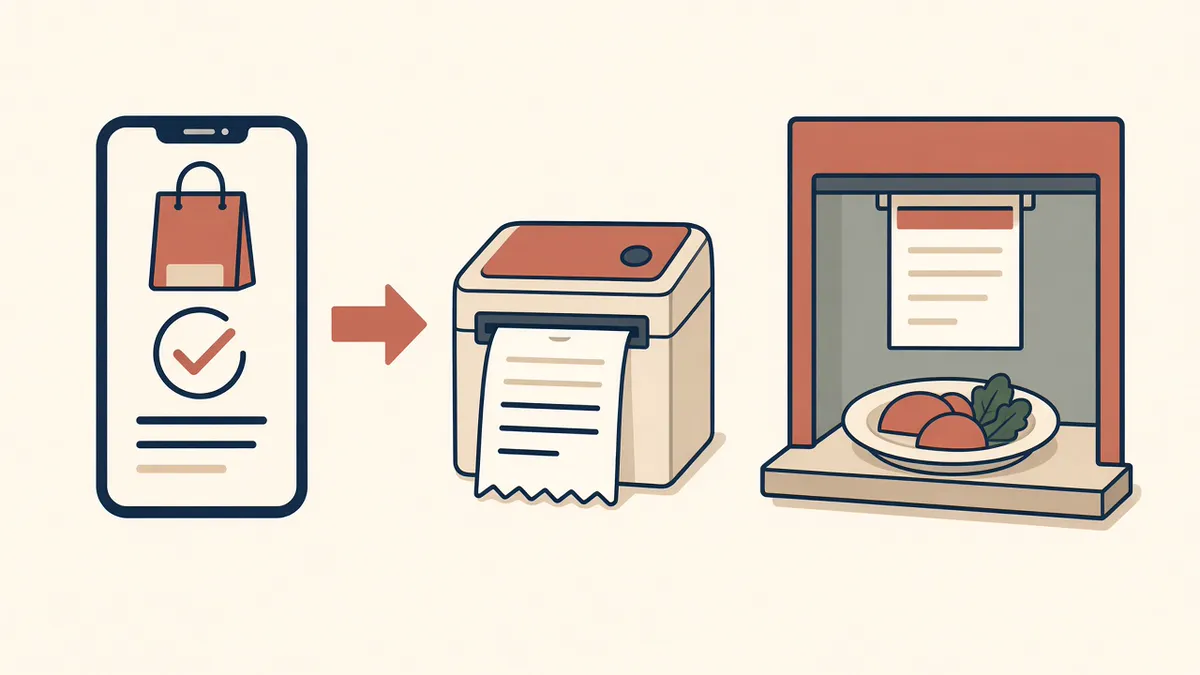
New orders appear in admin the moment they are placed. Staff track each one from new to preparing to ready to delivered so the kitchen and the counter agree. Delivered is a status your crew sets when the bag is gone. It is not driver tracking, and MicroSky Food does not offer it.
Print It Where the Cook Already Looks
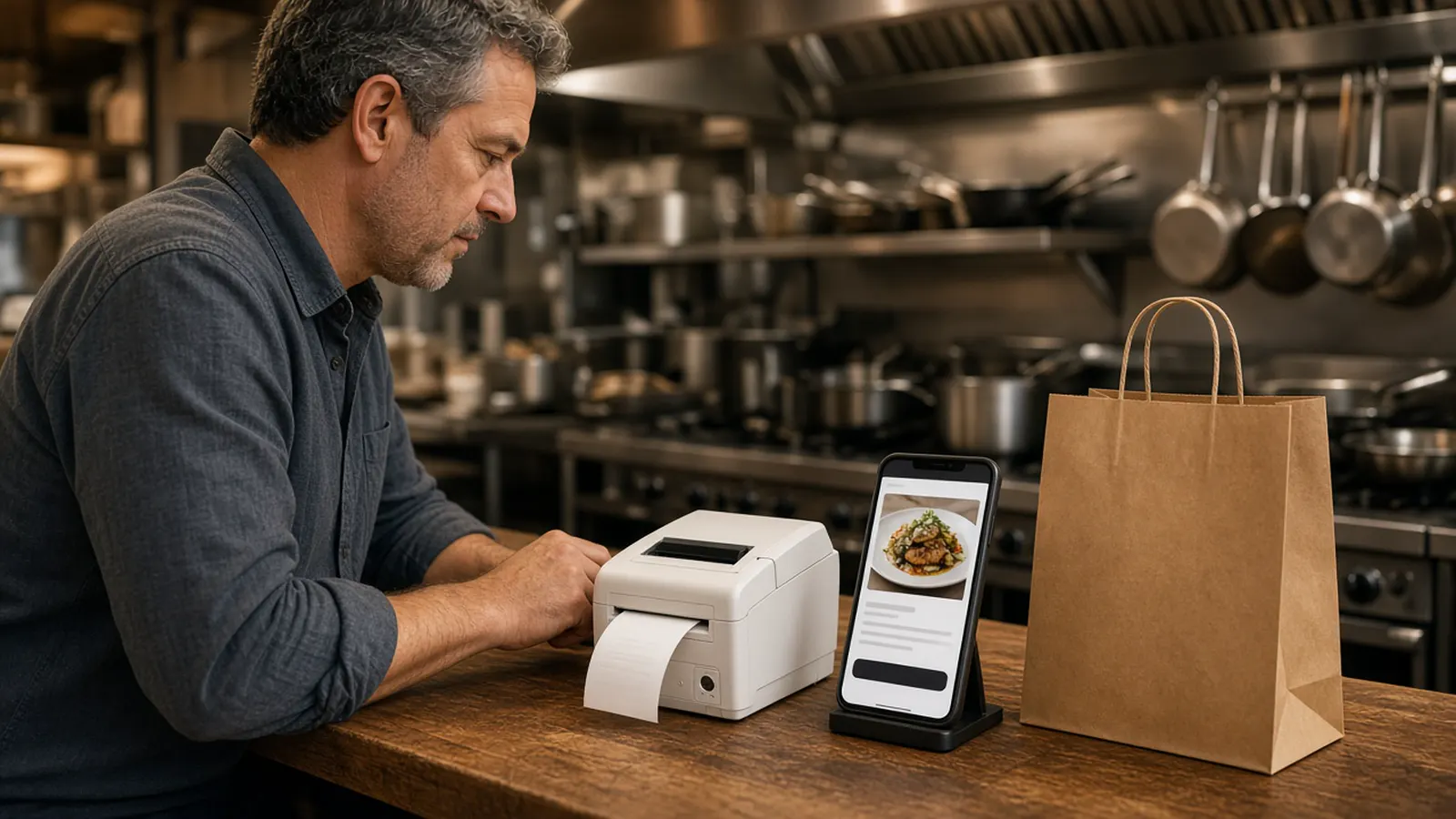
Orders print to the receipt printer you already have. If you need a bridge, hardware is $500 once: a mini PC print server and a receipt printer. Admin runs in the browser on a tablet or computer you own. Place one paid test, read the ticket, and refund it if the kitchen should not cook it.
A price change or a special updates the storefront when you save. That is how a tonight-only plate becomes orderable. Plates worth running, once the ticket path is boring, are restaurant specials ideas.
Sky AI for the Calls You Cannot Pick Up
Sky AI answers unlimited inbound calls. There is no per-minute fee. The guest orders pickup or delivery, pays on a secure keypad, and the paid ticket prints with web orders. Sky AI does not hear the full card number. It is not part of the signup wizard. After onboarding, open Admin, then Integrations.
The product page is Sky AI phone ordering. How to judge a phone order before you turn it on is restaurant phone ordering system. Do not promise the line is covered until a test call prints a ticket you would hand a cook.
Pickup and Delivery You Configure
Pickup has a ready time. Delivery uses a zone, a radius, and a fee you set, for example free delivery within 4 miles. The guest should see the limit before they pay. If a dish will not survive the ride, leave it off delivery.
MicroSky Food does not dispatch drivers, run a fleet, track drivers, or offer geofencing. A vendor who leads with cars and a live map is selling a different product. You still decide who carries the bag.
Your Checkout Instead of a Marketplace Cut
DoorDash, Uber Eats, and Grubhub often charge 15 to 30% of the sale and keep the reorder. You do not have to delete them on day one. Give regulars a door you own once a test ticket looks right. Loyalty points accrue on storefront purchases on every plan. You set what they are worth.
On a $40 order, 5% is $2 and 30% is $12. That sketch is arithmetic, not your margin. The monthly plan is extra. The wider buying frame is online ordering for restaurants.
What to Ask ChowNow, Owner.com, and BentoBox
ChowNow is sold as first-party ordering. Owner.com is an AI growth platform that usually sits on the POS you already run. BentoBox is another site restaurants compare when they want the order on their own brand. Do not invent their prices. Ask each one for a current quote.
Compare whether the guest can order now, whether the ticket prints on your printer, and whether you keep your card processor. The longer ChowNow notes are ChowNow alternative. Apple Pay is on Growth and Growth Plus, through Authorize.net. Bring Stripe, Authorize.net, or Electronic Payments.
What On Demand Ordering Costs
On Standard, choose $249 per month plus 5% of net sales, or $499 per month flat. Growth is $499 per month plus 7% of net sales and adds a branded iOS app, a website redesign, and monthly SEO for 5 keywords. Growth Plus is $999 per month plus 10% of net sales and adds email, SMS, and monthly SEO for 10 keywords. Both require 3 months on Standard. There is a 30-day free trial and no long-term contract.
The ordering site, zones, live orders, printing, Google order links, and Sky AI are on Standard. Email and SMS are Growth Plus. Confirm the lines on pricing.
How to Take the First On Demand Order
Start the 30-day free trial. The wizard walks through your profile, menu, hours, delivery zones, and billing. Most restaurants finish the same day. How it works is the short version. Read every item, turn pickup on, and draw the zone to the streets you already serve.
Pay for one test and print it. Then put the link where the old PDF was, including the Google order link once the site deserves the tap. Restaurants on the platform are on clients. Questions go through contact. See a storefront in the live demo. Start 30 Day Free Trial. Call (888) 960-1359.