
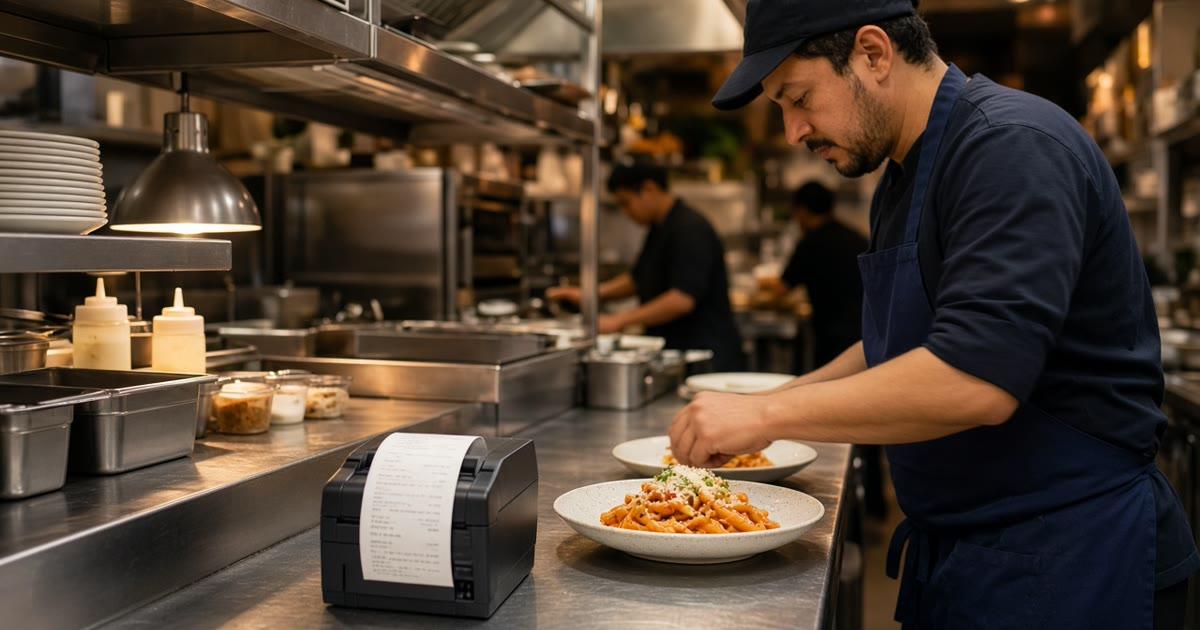
MicroSky Food printing hardware is how an order becomes a ticket the kitchen can read. An order placed on the restaurant's branded storefront shows up in restaurant admin in real time and prints on the kitchen flow. Printing to the receipt printer the restaurant already has is the default path. You do not need a new POS, and no expensive POS hardware is required. If the shop has no print path, a one-time $500 hardware package includes a mini PC print server and a receipt printer.
Plan math is on pricing. The path from signup to a live storefront is how it works. The screen beside the printer is restaurant admin, and the longer walkthrough is MicroSky Food restaurant admin. Phone orders that should print on that same printer are Sky AI, covered in MicroSky Food Sky AI phone ordering.
Who it helps at the pass
It helps a pizzeria or a small takeout kitchen that already trusts paper. A guest orders on the branded storefront, picks a size and toppings, and chooses pickup or delivery. The order appears in admin the moment it is placed, and it prints on the receipt printer at the pass. The cook reads that paper.
It helps a shop with no print path. The one-time $500 package is a mini PC print server and a receipt printer. Admin still runs in a web browser on a tablet, laptop, or computer the restaurant already owns. A tablet can be provided if you need one.
It helps a shop that already owns a receipt printer. That printer is the default path. Try it before you buy hardware. The $500 package is for the kitchen that lacks a print path, not a replacement for a printer the staff already trusts. How the ticket should land is the restaurant order taking app guide. Where the staff screen sits is restaurant tablet ordering.
How a storefront order prints
The guest orders on your branded storefront: your domain, your menu, and your cart. How it works is the path to that site. Orders flow into the admin dashboard in real time. New orders appear the moment they are placed. Track each one from new to preparing to ready to delivered, so the kitchen and the counter use the same words.
The same order prints on the kitchen flow, on the receipt printer you already have. You do not need a new POS to get paper. No expensive POS hardware is required. Admin is the board. The printer is the ticket.
Thursday at a pizzeria. A guest orders a pie with a size, toppings, and a note, for pickup. The order shows in restaurant admin the moment it is placed, and the receipt printer at the pass prints it. The cook reads the item, the size, the modifiers, and the note. The paper and the screen describe the same order.
The printer you already have
Many kitchens trust a receipt printer more than another screen. Printing to that printer is the default path. Put it where the pass already looks. The browser is for status and for menu changes, such as a price, a special, or an item you 86. The storefront updates. The printer still prints the next ticket.
Run a complicated test order before you tell guests the link is live: a size, toppings, a note, and pickup or delivery. Stand at the pass and read the ticket cold. It should show the item, the size, the modifiers, and any true note. Keep modifiers as separate lines, not a paragraph. If a new cook would plate the order from the paper, send guests to the storefront.
When the shop has no print path
Some kitchens can open a browser and still have no printer the line trusts. The one-time $500 hardware package includes a mini PC print server and a receipt printer. That package is the print path. You do not need a new POS, and no expensive POS hardware is required.
The admin backend still runs in any web browser on a tablet, a laptop, or the computer in the office. Tablets can also be provided if needed. Place the printer where the pass already looks. Print the same complicated test, and read it cold, before you advertise the link. The restaurant order taking app guide is that test.
Admin on a device you already own
Restaurant admin runs in any web browser on a tablet, a laptop, or a computer you already own. A tablet can be provided if you need one. The $500 package is the print server and the receipt printer. It is not a screen you have to buy to see the order.
Guests are not handed a device at the table. They order on the branded storefront, or by phone once Sky AI is on. Restaurant tablet ordering is the staff screen next to the printer. Keep it where the pass already looks, and keep it plugged in. Confirm a test ticket still prints if the screen locks, so a cook can work from the paper if nobody touches the tablet for a minute.
Roles on restaurant admin give managers, kitchen, and counter the access they need, and nothing they do not.
Phone orders on the same printer
Turn on Sky AI after web tickets already print in a form the kitchen trusts. It is not part of the signup wizard. Enable it after onboarding in Admin, under Integrations. Sky AI answers unlimited inbound calls. There is no per-minute fee. It takes pickup or delivery orders and collects card payment on a PCI-safe keypad. Sky AI never hears the full card number.
Phone orders are paid before they print. The paid ticket shows in admin and prints on the same kitchen flow and the same receipt printer as a web order. Same kitchen flow. Same receipt printer. No special handling. The kitchen sees a real ticket, not a maybe.
If the first phone ticket looks different from a web ticket, fix the ticket before you rely on the line. The call itself is MicroSky Food Sky AI phone ordering. The board those tickets share is MicroSky Food restaurant admin.
What it costs, and how you start
You do not pick a higher plan to print. Standard includes the branded storefront and live order management. On pricing, choose $249 per month plus 5% commission on net sales, or $499 per month with no commission. Only that $499 per month Standard option has no commission. Commission on the $249 option, on Growth, and on Growth Plus applies to net online order sales through the storefront, after refunds and voids. There is no commission on in-store sales.
Growth is $499 per month plus 7% commission on net sales, after 3 months on Standard. Growth Plus is $999 per month plus 10% commission on net sales, after those same 3 months. Both include everything in Standard, so the same storefront orders still show in admin and still print. A 30-day free trial does not replace those 3 months. There is no long-term contract.
Hardware is $500 once if you need a mini PC print server and a receipt printer. If you already have a receipt printer, that printer is the default path and the package is optional. Every plan starts with a 30-day free trial. Start 30 Day Free Trial. Call (888) 960-1359.