
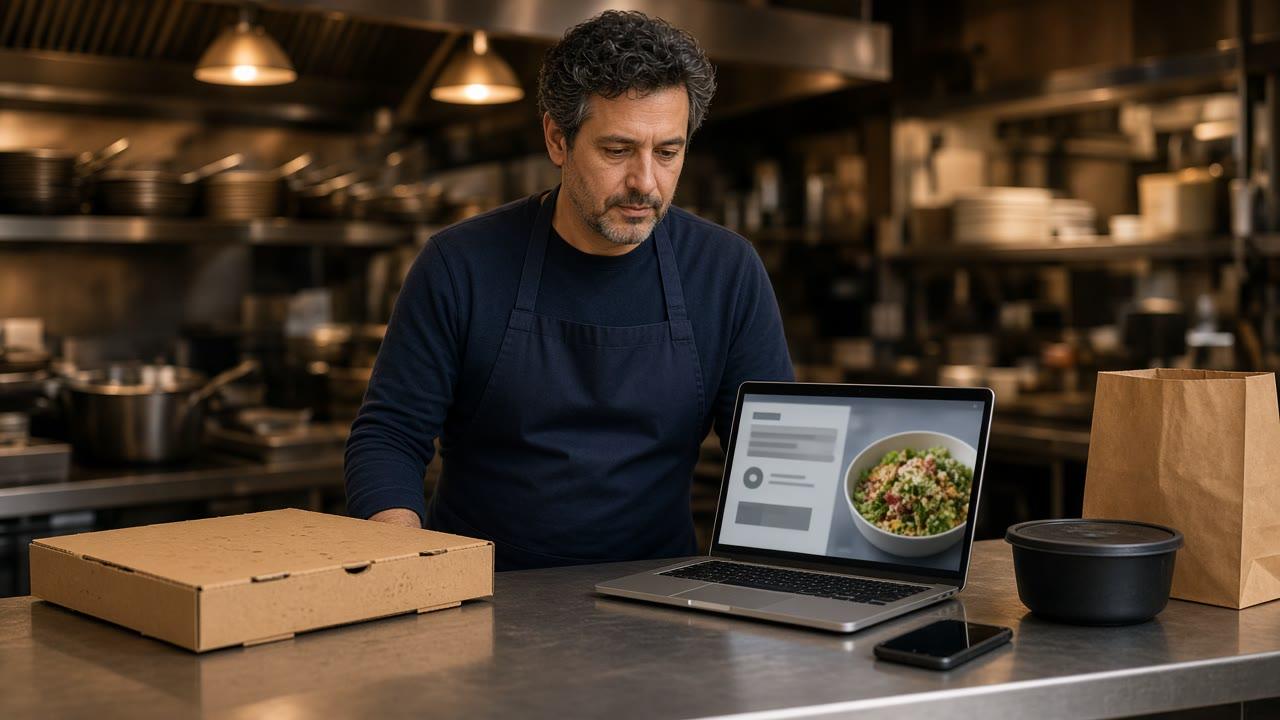
How to start a virtual restaurant, for an owner who already has a stove, is a second public name the same kitchen can cook. The work is a short menu, a branded ordering site under that name, and a way guests can find the link. It is not a second lease, a marketplace listing, or a new cuisine the pass has never plated.
The screen guests order on is online ordering. The login that holds the menu and the tickets is restaurant admin. What belongs in that admin, versus a theme for the cart, is restaurant ordering software. How a site gets onto your domain is restaurant website builder. A printed code that opens the new URL is QR code ordering system. Stay here for the launch.
Cook What the Line Already Knows
Start with food the Friday crew can fire without a new station. A virtual brand fails when the menu is a wish list. Pick items that use the oven, the fryer, or the cold table you already own. If the original shop is a pizzeria, a bowl concept still has to survive the same pass. If it needs a skill nobody on the schedule has, it is not ready.
Keep the first menu short, about eight to twelve items, so you can see whether anyone orders the new name. Use sizes, toppings, and modifiers the line already asks, as buttons rather than a note at the bottom of the ticket. Change a price or 86 an item and the storefront updates.
Say pickup, delivery, or both before you print a flyer. You set the delivery zone, the radius, and the fee, and ordering opens and closes with the hours you post. If a dish will not survive a car, leave it off the site. Pickup and delivery share the menu you publish, so a dining room note on a button people can still tap is how you cook food you then have to comp.
- Items the current crew can cook beside the original menu.
- Modifiers the kitchen already asks, as their own lines.
- Pickup, and delivery only inside a zone you can staff.
Give the New Name Its Own Ordering Site
A category on the original menu is still the original restaurant. Use a category when the name on the bag should not change. Use a separate site when the public name, the photos, and the Google order link should belong to the new concept. Guests remember a name they can search. They do not remember a heading halfway down someone else's menu.
The virtual brand is its own storefront. How it works is the path: the onboarding wizard walks through the restaurant profile, menu, hours, delivery zones, and billing. A storefront can be set up in about 10 minutes. Photos and odd modifiers take the afternoon. The site runs on your domain, with your branding and your menu, not a marketplace card next to a competitor.
If the new name already has a page, the wizard can scan it and import menu items, prices, modifiers, and images. Read every line. If there is no site yet, enter the short menu in the same wizard. The product pages do not describe one storefront that runs two public names.
Read One Paid Ticket Before You Announce It
Place one order yourself and pay it. Read the paper. The item name, the size, and every modifier should match the button the guest tapped. If the ticket is a riddle, fix the menu before you share the URL. The cart shows a running subtotal. Checkout is the same encrypted card payment as any other web order. Bring a Stripe token, connect Authorize.net, or sign up with Electronic Payments. Apple Pay is on Growth and Growth Plus, through Authorize.net, and not on Standard.
You can see the shape of a storefront in the live demo. Restaurants already on the platform are on clients. The demo is not your menu. Your test ticket is.
Run the New Tickets in Restaurant Admin
New orders appear when they are placed. Staff move each one from new to preparing to ready to delivered, on the admin for this site. Menu edits, hours, and the guest list live there. Give managers, kitchen, and counter the access they need, and stop sharing one password between the two names.
Orders can print on the receipt printer you already use. If you do not have one, the hardware package is a mini PC print server and a receipt printer, $500 one time. Admin runs in the browser on a tablet or computer you already own. Sales reporting covers orders, revenue, average ticket, and best-sellers. Use that on Monday to see whether the new name is a real ticket or a poster.
MicroSky Food does not dispatch drivers, run a fleet, track drivers, or offer geofencing. If you offer delivery, name the driver and the streets you will cover. Pickup is the honest launch when you have no car.
Put the New Name Where Guests Already Look
A site nobody can find is a private menu. Standard includes Google Business Profile order links on your listing. The button should open the new site, not the original shop and not a marketplace. Check it on a phone that is not logged into admin. A listing can keep an old button until someone changes it. Hours on the listing should match the hours that close the cart.
Stamp the same URL on the box, the window, the flyer, and a QR code. The code is a printed link to the branded ordering URL. It is not a second menu and it does not know which table scanned it. Where to put that code, and what it will not do, is the QR code ordering system guide. Read the code on a phone before you print a stack.
DoorDash, Uber Eats, and Grubhub often charge 15 to 30% of the sale. A marketplace can introduce someone new. It should not be the only door, and it should not be the Google button. Neighborhood work beyond the link is how to market your restaurant locally.
Loyalty Now, Email and Text Later
Guests can create an account, save an order, and earn loyalty points on storefront purchases. You set what the points are worth. Points are on every plan, including Standard. They accrue on the new site's orders, not on a marketplace receipt. A guest who creates an account at checkout keeps the points from that order. Say the reward in one sentence a cashier can repeat.
Email and SMS campaigns are on Growth Plus, at $999 per month plus 10% of net sales, after 3 months on Standard. Standard and Growth do not include them. Growth push goes to the branded iOS app after those 3 months, and it is not a text. There is no published Android app. Until Growth Plus, the box, the QR code, and the Google order link are the send.
What the Ordering Site Costs
On pricing, Standard is $249 per month plus 5% of net sales, or $499 per month flat. Only that $499 per month Standard option leaves off the percentage of net sales. Growth is $499 per month plus 7% of net sales. Growth Plus is $999 per month plus 10% of net sales. Growth and Growth Plus require 3 months on Standard. A 30-day free trial does not replace those 3 months. There is no long-term contract.
Those prices are for that site. Loyalty, the branded website, restaurant admin, pickup and delivery zones, and the Google order link are on Standard. The $500 hardware package is optional if you already have a printer. On a $40 order, 5% is $2 and 30% is $12. The monthly plan sits on top of either figure.
A Week You Can Finish Before You Advertise
Day one: start the 30-day free trial and set the profile, the short menu, the hours, and the delivery zone. Day two: add photos of the items you will actually cook, place one paid test, and read the ticket. Day three: point the Google order link at the new site and print one QR code for the counter. If the modifier is wrong, fix it before the flyer.
Questions go through contact. Setup is how it works. The menu, the hours, and the live tickets are restaurant admin. Start 30 Day Free Trial. Call (888) 960-1359.