
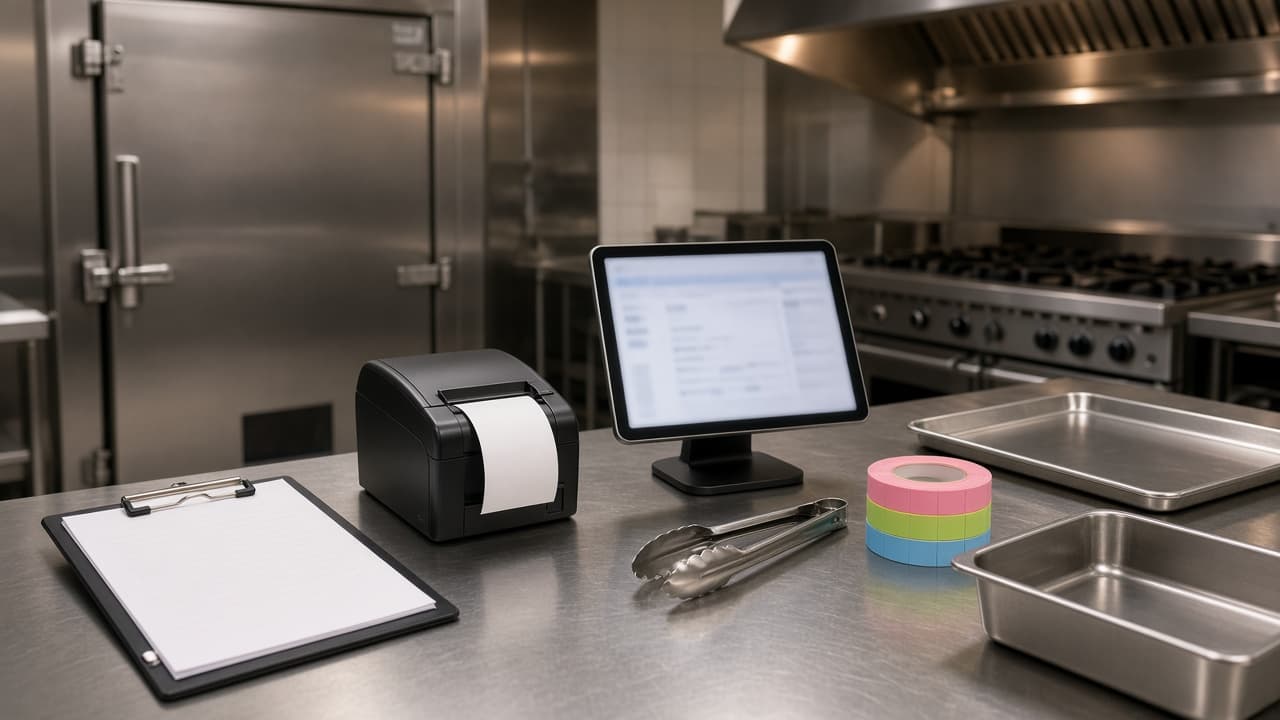
A commercial kitchen equipment checklist is the page you walk before the first real ticket. New kitchens and remodels fail in the same places: a line that cannot cook the menu, cold storage that is too small for Saturday, and an online order nobody hears.
Print this page. Check an item only when it is on site and someone on the crew has used it. Local rules still decide sinks, temperatures, and suppression. This is the gear, not a permit.
A full register quote is a different decision. Read how much a POS system costs for a restaurant. One board and one printer, as a daily habit, is how to improve restaurant operations.
How to walk a commercial kitchen equipment checklist
Walk in the order food moves: receiving, cold, prep, cook, hold, plate, wash, then the pass. Mark each piece owned, leased, or still a quote. On a remodel, circle what you are keeping. A working oven is not a project. A printer the line already trusts is not a project either.
- On site, not on a truck.
- Someone on the crew has turned it on.
- Power, water, gas, or a network, whichever it needs.
- A spare, or a written backup, for the item that stops the night.
Cooking equipment
List the appliances the menu uses, then the hood and suppression that have to exist before they can run. An oven without a hood is furniture.
Ranges, ovens, and the deck
A range, a flat top, and a deck oven are different boxes. Write gas or electric next to the name, and write the hood on the same line. If your largest pan does not fit, you do not have an oven yet.
- Range, flat top, or burners sized to the menu.
- Oven or deck that fits the largest pan.
- Hood and fire suppression for that line.
- Gas hookup or an electrician sign-off.
Fryers, griddles, and hot holding
A fryer needs a filter habit and a splash zone that misses the printer. Hot holding is a cabinet, a lamp, or a steam well: the spot between the cook and the bag. Count pans and lids for a Friday, including the ones in the dish pit.
- Fryer, filter, and a safe oil path.
- Griddle or charbroiler, if the menu has one.
- Hot holding: cabinet, lamp, or steam well.
- Sheet pans, hotel pans, and lids for a Friday plus the pit.
Refrigeration and the walk-in
A reach-in at the station holds what the cook grabs. The walk-in holds morning prep and the delivery. Add a freezer when the cooler cannot be both. Check the door swing so it does not block the prep table. A thermometer and a log the opener will fill in belong on the list, plus shelves so food is off the floor.
- Walk-in cooler you trust, or one you are buying.
- Reach-in or undercounter fridge at the station.
- Freezer, if it must be separate from the cooler.
- Thermometer, temp log, shelves, or dunnage racks.
Prep tables, sinks, and smallwares
Prep is a table, a wash sink, and a hand sink at the line. Confirm the sink count with your local rules before you tile. Smallwares are what shops forget until Friday: knives, boards, a scale, tongs, ladles, timers, portion cups, foil, parchment, and gloves. If you separate allergens, name that board so the crew agrees.
- Prep table you can sanitize.
- Three-compartment sink or dish machine, plus a hand sink.
- Knives, boards, scale, tongs, ladles, timers.
- Portion cups, foil, parchment, gloves, and a backup thermometer.
Cleaning and safety gear
Pack what an opener can point at: sanitizer, test strips, a mop sink, and a chemical shelf away from food. Add the extinguisher, a current suppression tag, a first-aid kit, and non-slip mats. Drains, a grease trap, and working lights belong on this same page.
- Sanitizer, test strips, and a labeled bottle.
- Mop sink and a chemical shelf away from food.
- Extinguisher and a current suppression tag.
- First-aid kit, non-slip mats, drains, grease trap, and lights.
Online orders: ticket printer, order tablet, and labels
The pass needs a ticket printer, a tablet or computer the crew already watches, and labels so devices and pans are not a guess. Placement is covered in restaurant tablet ordering. Buy, place, and test the pieces below.
The ticket printer
Online orders should print on a receipt printer the kitchen already reads. If you have one, use it. If it needs a bridge, a small print server sits in front of it. You do not need a new point of sale to get paper.
The MicroSky Food $500 one-time hardware package includes a mini PC print server and a receipt printer. Skip it when the line already trusts a printer. It is not a register and not a screen over the fryer. Put the printer at the pass, off the splash, with a spare roll. Run one test ticket before the link goes public.
- The receipt printer you trust, or the $500 package.
- A mini PC print server if that printer needs a bridge.
- Printer at the pass, plugged in, with a spare roll.
- One test ticket a new cook can plate from.
The order tablet
The order tablet is restaurant admin in a browser. Orders show up there. Status runs from new, to preparing, to ready, to delivered. Admin runs on a tablet or computer you own. A tablet can be provided if you need one. The $500 package is the print server and the receipt printer, not a new screen for every station.
Guests are not handed this tablet. They order on your site, on their phone. Keep it at the pass, plugged in. Confirm the ticket still prints if the screen locks. Give the closer a staff login, not the owner password.
- One tablet or computer at the pass, on the network and plugged in.
- Browser open to the order board.
- A staff login for the closer.
- A test print with the screen asleep.
Labels the line can read
Day dots go on pans in the walk-in: the item and the date. That is a roll and a pen. The ordering site does not print them.
Name the order tablet, and name any marketplace tablet you still keep, so the closer does not answer the wrong chirp. Write the guest name on the bag from the ticket. MicroSky Food prints that kitchen ticket. The $500 package does not include a label printer. The ticket should show the item, the size, modifiers on their own lines, and the note. Read one on the live demo, then one from your own site.
- Day dots and a pen at the walk-in.
- A name on the order tablet and on any marketplace tablet.
- A name on the printer if you have more than one.
- Bag names copied from the ticket.
How an online order reaches the kitchen
The guest orders on your storefront. Menu, cart, and hours are on online ordering. Pickup and delivery follow your zones, fees, and hours, and the site opens and closes with those hours. Cards run through Stripe, Authorize.net, or Electronic Payments. Cash on delivery can cover you while a merchant application is processing. The paid order lands in admin and prints on that receipt printer.
Phone orders join the same printer after you turn on Sky AI, in Admin under Integrations, once onboarding is done. It is not in the signup wizard. Sky AI takes the items and modifiers and collects the card on a keypad. It does not hear the full card number, and there is no per-minute fee. Leave it off until a web ticket looks right.
The onboarding wizard covers profile, menu, hours, zones, and billing. Shops already printing this way are on the clients page. Third-party marketplaces charge 15 to 30%. Keep their tablet labeled.
What to buy first on a remodel
Buy what stops the night if it dies: hood, cold storage, a hand sink, and a printer the line will look at. Keep the dining-room register if it already rings the room.
Leave guest tablets at the table for another project. This platform does not sell them. MicroSky Food does not offer inventory management, driver dispatch, or geofencing. Delivery here is a zone and a fee. A label printer is not required to open.
- Keep a register that already works.
- Keep the printer the cooks trust.
- Add the $500 package only for a print server and a receipt printer.
Print one real ticket before you share the link
Standard is $249 per month plus 5% of net sales. Growth is $499 per month plus 7% of net sales, after 3 months on Standard, with a branded iOS app, a website redesign, and monthly organic SEO. Growth Plus is $999 per month plus 10% of net sales, after those same 3 months, with email, SMS, and push. See pricing.
Hardware is $500 once: a mini PC print server and a receipt printer. Admin runs on the tablet or computer you have. Tablets can be provided. Every plan starts with a 30-day free trial, and there is no long-term contract. Questions go through contact.
Walk the lists. Read one paid test ticket at the pass before you share the link.
Start 30 Day Free Trial at food-onboard.microskyfood.com. Call (888) 960-1359.